Lesson 06 — Branching
Create a branch so you can work safely without changing main directly.
What a branch is
Section titled “What a branch is”A branch is a separate workspace for a change.
Instead of editing main directly, create a branch for your work.
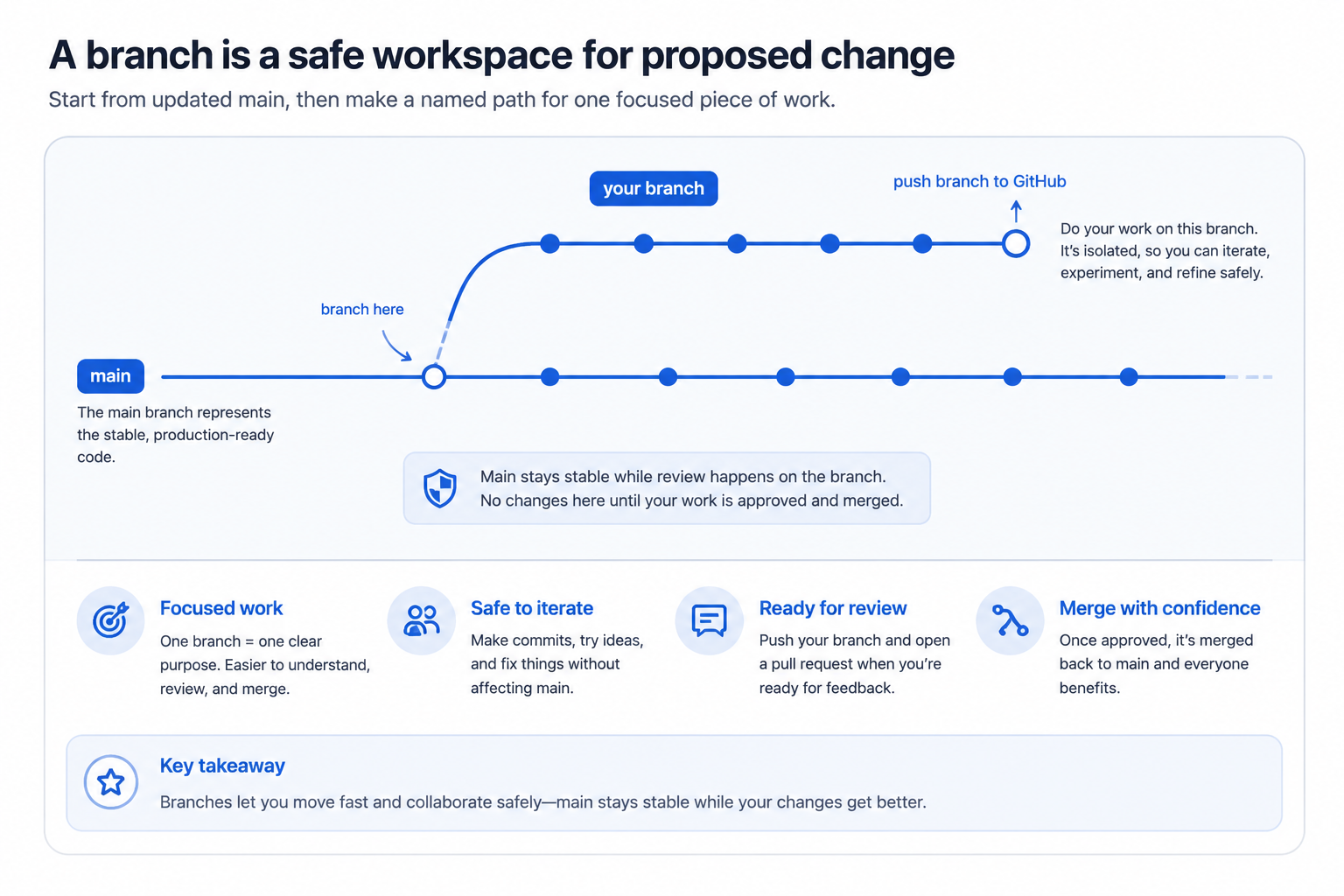
| branch name | description |
|---|---|
| main | official shared version |
| your branch | your workspace for a proposed change |
Local and GitHub view
Section titled “Local and GitHub view”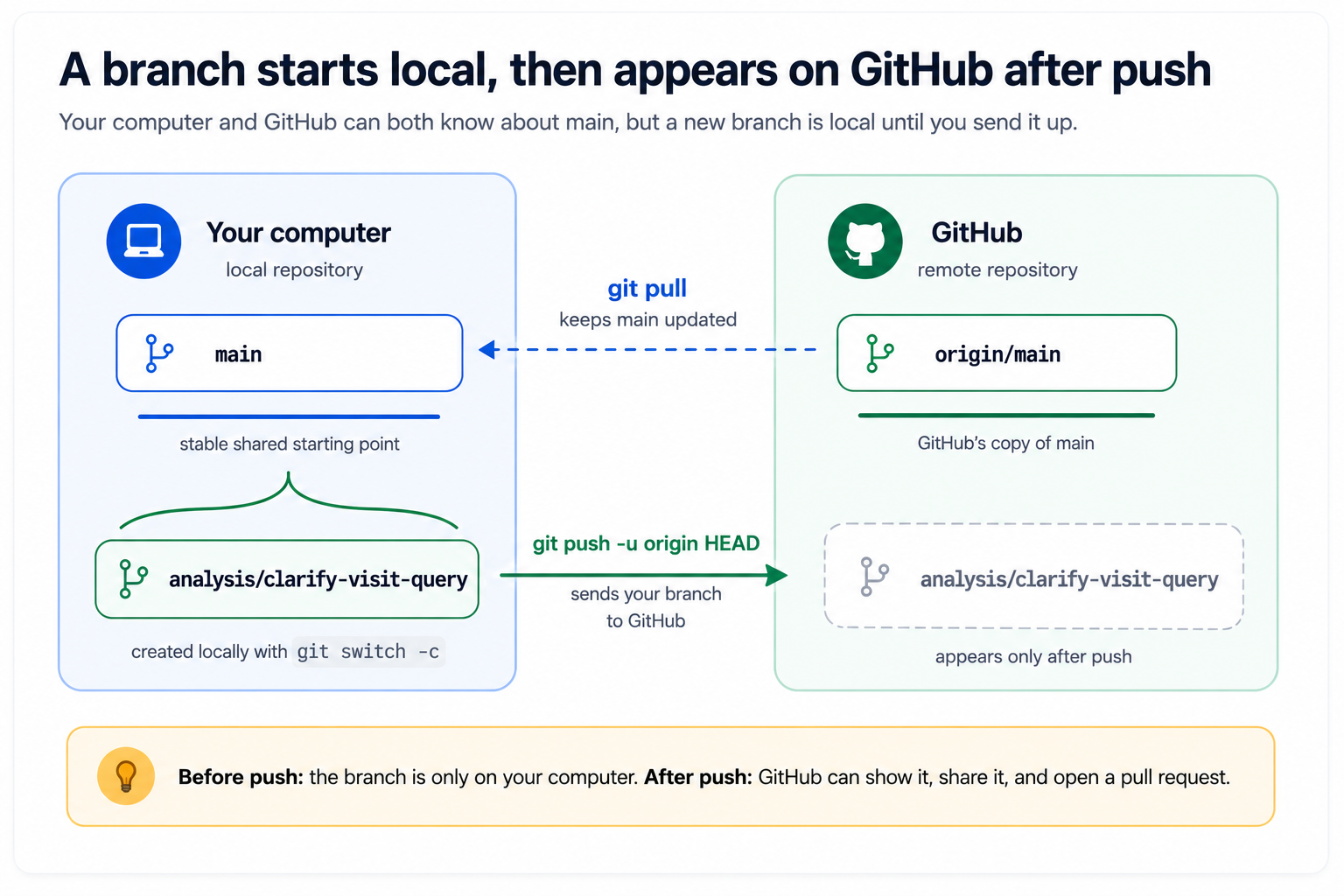
A branch starts on your computer. It appears on GitHub after you push it.
Checklist
Section titled “Checklist”1. Start from main
Section titled “1. Start from main”Run:
git checkout mainor:
git switch main- I am on
main.
2. Pull the latest main
Section titled “2. Pull the latest main”Run:
git pull- My local
mainis up to date.
3. Create a new branch
Section titled “3. Create a new branch”For a SQL query documentation change, run:
git checkout -b analysis/clarify-visit-queryor:
git switch -c analysis/clarify-visit-query- I created and switched to a new branch.
4. Confirm the current branch
Section titled “4. Confirm the current branch”Run:
git branchThe current branch has an asterisk next to it.
- I can identify my current branch.
5. Make and commit a change
Section titled “5. Make and commit a change”Use the workflow from Lesson 04:
git statusgit diffgit add queries/01-count-visits.sqlgit commit -m "docs: clarify visit count query"- I committed a change on my branch.
6. Push the branch to GitHub
Section titled “6. Push the branch to GitHub”Run:
git push -u origin analysis/clarify-visit-query- My branch exists on GitHub.
Branch naming examples
Section titled “Branch naming examples”docs/add-analysis-noteanalysis/clarify-visit-querymetadata/define-visit-datefix/correct-county-labelUse names that describe the change. Avoid branch names like updates, work, or stuff.
Completion check
Section titled “Completion check”- I can create a branch.
- I can switch branches.
- I can commit on a branch.
- I can push a branch to GitHub.
- I understand that a branch is safer than editing
maindirectly.