Lesson 01 — What Git and GitHub Are
Understand what Git and GitHub do, and why teams use them.
Big picture
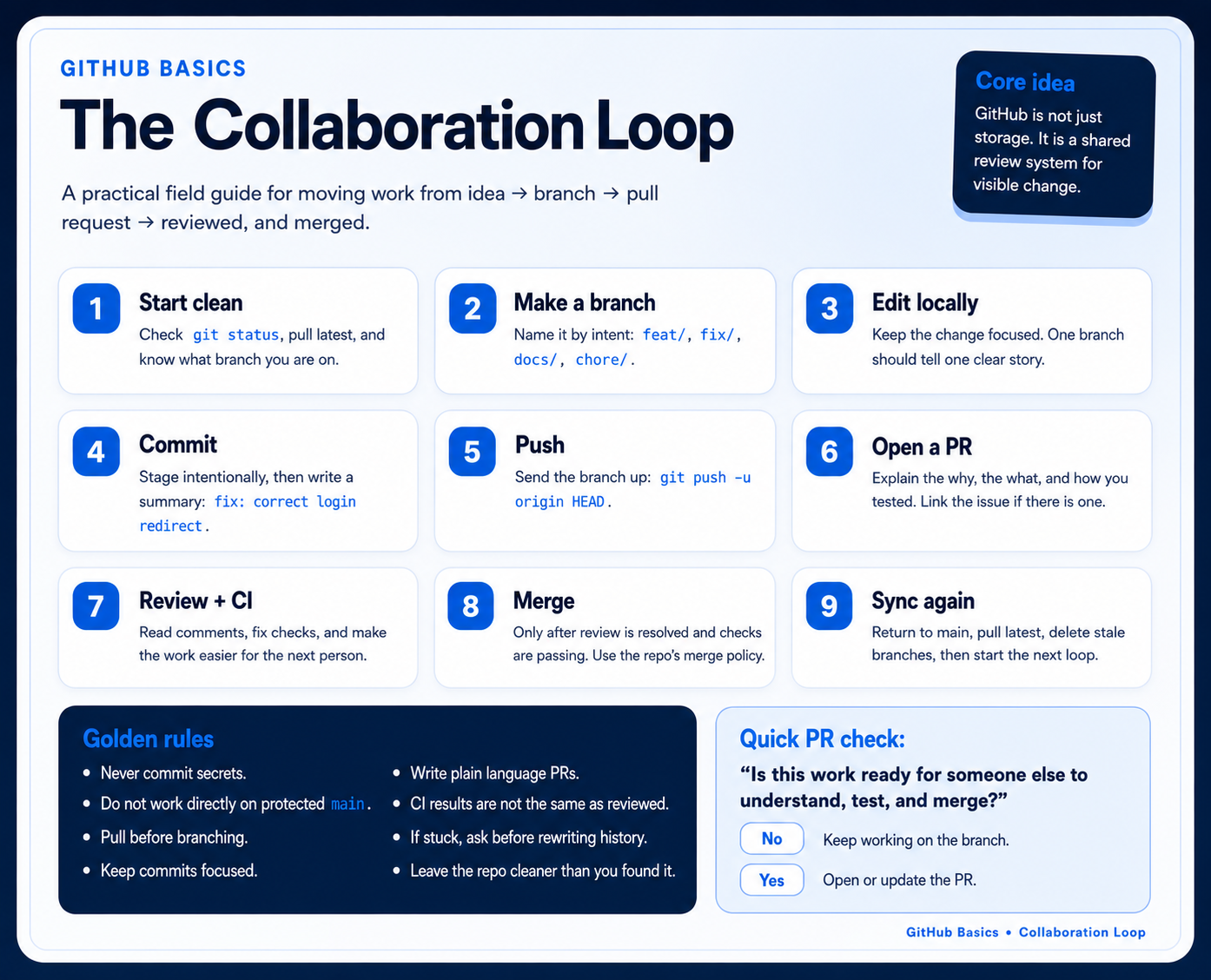
Section titled “Big picture”Keep the GitHub Basics infographic nearby while you learn the vocabulary. The details will become familiar through practice, but the main loop is simple: branch, edit, commit, push, open a pull request, review, merge, then sync again.
Plain-language explanation
Section titled “Plain-language explanation”Git is a tool on your computer that tracks changes to files over time.
GitHub is a website where Git repositories can be stored, shared, reviewed, and discussed.
A repository, often called a repo, is a project folder that Git is tracking.
Why this matters for data work
Section titled “Why this matters for data work”Git helps teams answer questions like:
- What changed in this analysis script?
- Who made the change?
- When did it change?
- Why did it change?
- Can we review a change before it becomes official?
- Can we go back to an earlier version if needed?
Core mental model
Section titled “Core mental model”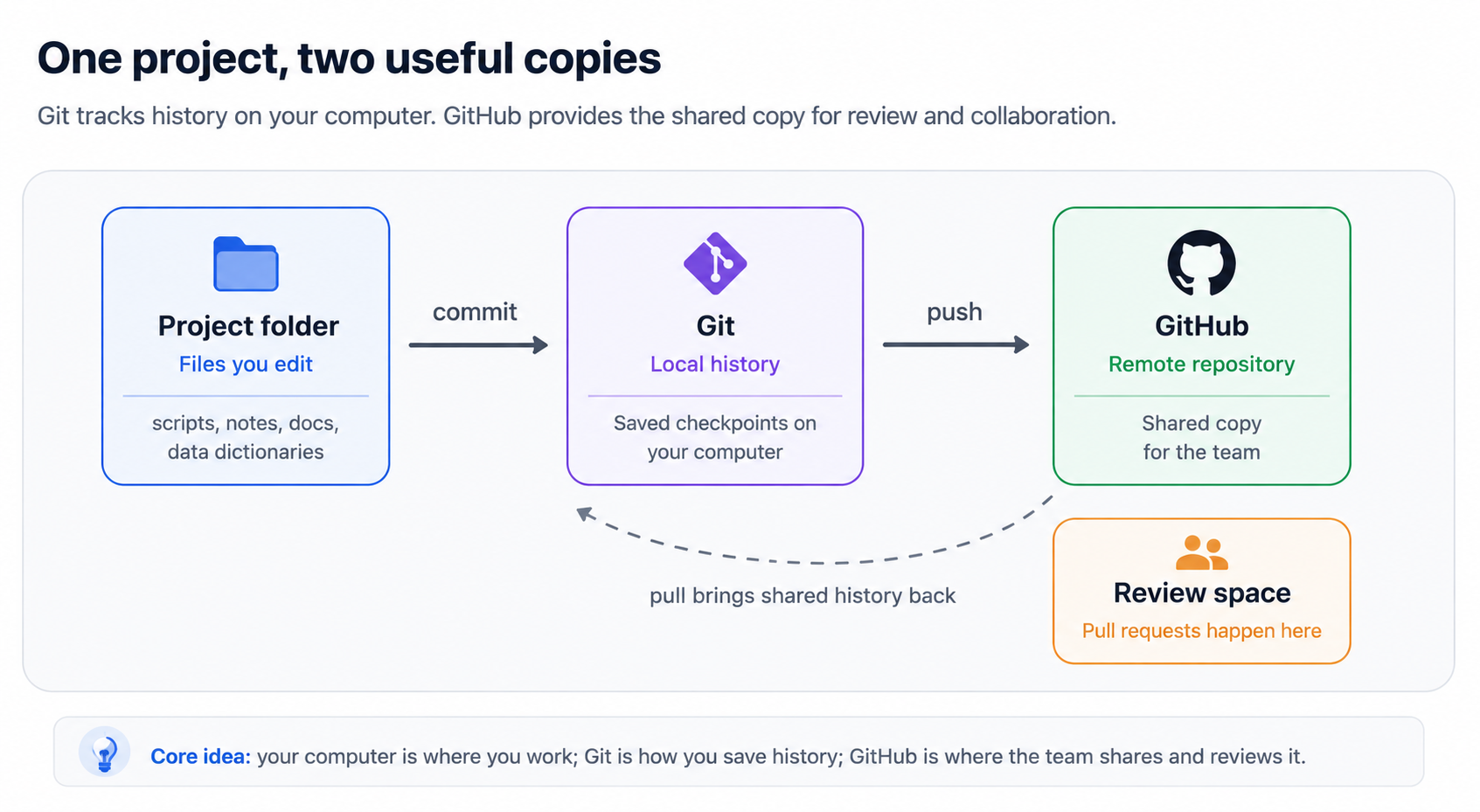
Local vs. Remote
Section titled “Local vs. Remote”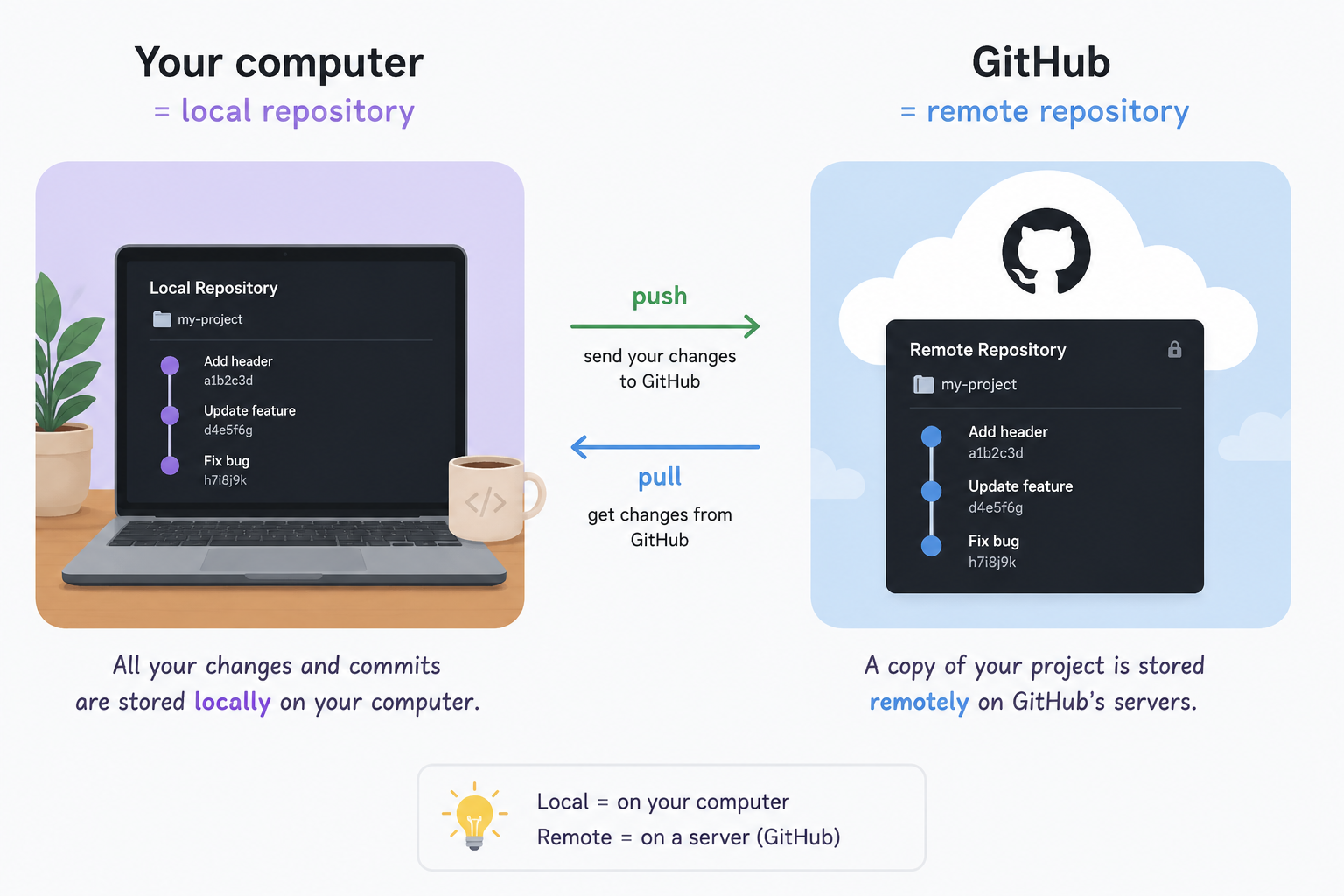
You make changes locally, save them in Git, then send them to GitHub.
Checklist
Section titled “Checklist”- I can explain that Git tracks file changes.
- I can explain that GitHub hosts repositories online.
- I can explain that a repository is a project folder tracked by Git.
- I understand that my computer and GitHub can each have a copy of the repo.
- I understand that Git is useful for collaboration and review.
Key words
Section titled “Key words”- Repository: A project folder tracked by Git
- Local: On your computer
- Remote: On GitHub or another server
- Commit: A saved checkpoint in Git history
- Branch: A separate workspace for a change
- Pull request: A request to review and merge a branch
Reflection prompt
Section titled “Reflection prompt”Think of one file you work on regularly. What would be useful about knowing exactly what changed in that file over time?