Git Basics for Analysts and Statisticians
Learn Git through small repeatable workflows—not long lectures.
What this site teaches
Section titled “What this site teaches”This site helps analysts, statisticians, epidemiologists, evaluators, and public health data teams practice the Git and GitHub workflow they need for everyday collaboration.
It is built for people adopting Git while real work is still moving: reports are due, staffing is tight, and nobody needs extra drama from their tools. The course uses small, repeatable tasks so learners can build calm working habits.
The core mental model
Section titled “The core mental model”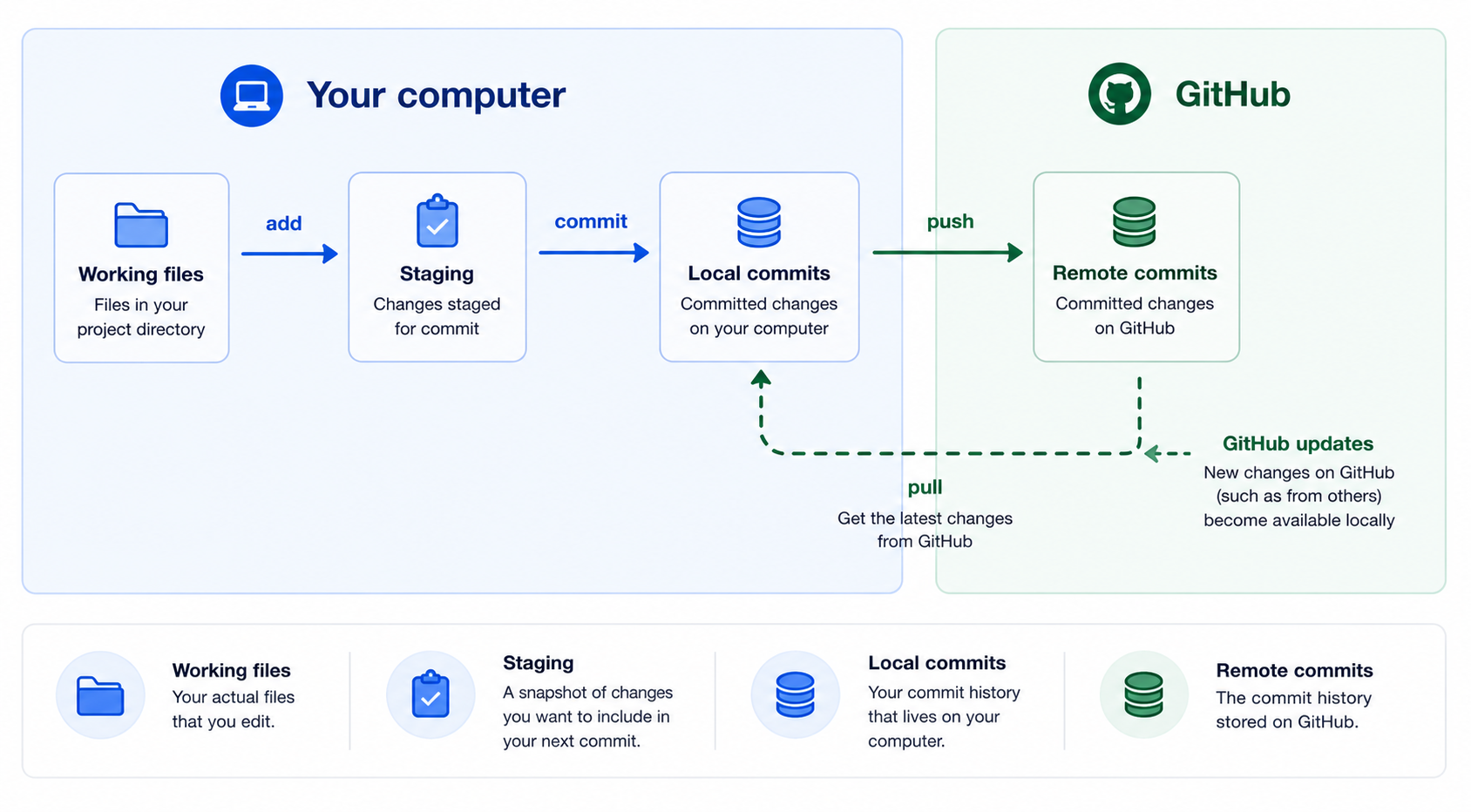
| Learner question | Git/GitHub idea | Command or place to check |
|---|---|---|
| What does Git know right now? | Current branch, file changes, staged work | git status |
| What changed? | Line-by-line edits | git diff and git diff --staged |
| What has been saved locally? | Commits on your computer | git log --oneline |
| What does GitHub have? | Pushed branches, commits, and pull requests | Repository page on GitHub |
| What happens next? | Pull, branch, stage, commit, push, or open/review a PR | The lesson checklists |
Important course promise: Git becomes manageable when you can answer four questions: what Git knows, what GitHub has, what changed, and what happens next.
What learners will practice
Section titled “What learners will practice”- Cloning a repository from GitHub.
- Reading
git statusbefore acting. - Reviewing changes with
git diff. - Staging specific files.
- Making clear local commits.
- Understanding that
git pushsends commits; it does not commit file changes. - Pulling updates from GitHub.
- Creating branches for small changes.
- Opening, updating, reviewing, and merging pull requests.
Recommended path
Section titled “Recommended path”| Phase | Lessons | Outcome |
|---|---|---|
| Orientation | Lessons 01–03 | Know what Git and GitHub are, install/check tools, clone a practice repo |
| Local workflow | Lesson 04 | Edit, inspect, stage, and commit locally |
| Sharing work | Lesson 05 | Pull from GitHub and push committed work |
| Collaboration | Lessons 06–07 | Use branches and pull requests |
| Repetition | Lesson 08 + checklist | Complete the full workflow several times |
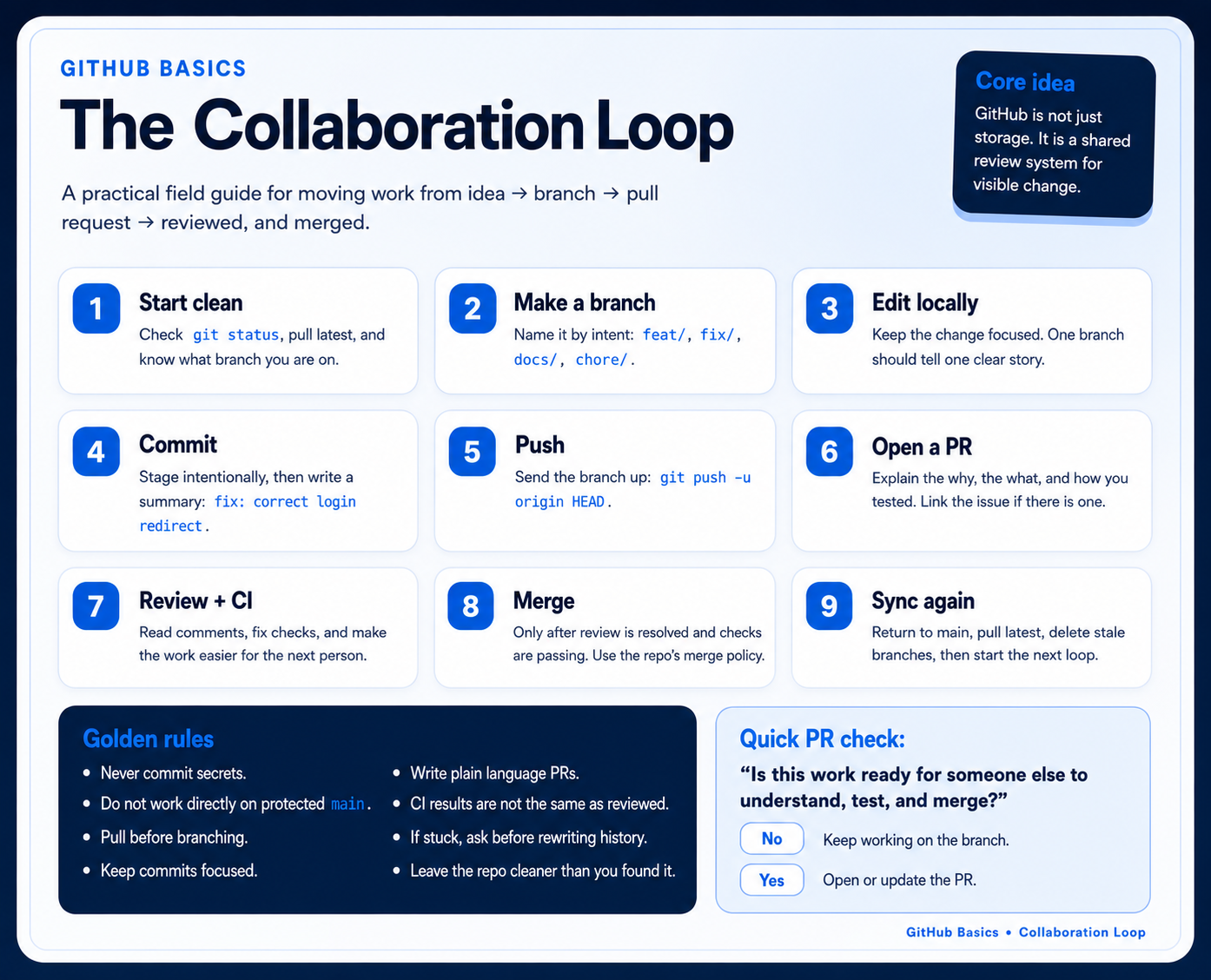
Quick visual reference
Section titled “Quick visual reference”Start with the GitHub Basics infographic to see the whole safe collaboration loop at once.
Lessons
Section titled “Lessons”- What Git and GitHub Are
- Setup and First Orientation
- Cloning a Repository
- Status, Staging, and Commits
- Pushing and Pulling
- Branching
- Pull Requests
- A Complete Beginner Workflow